Live — Available for macOS

Ace every interview
completely invisible

KeetAI sits silently on your screen, listens to your interview, and streams AI-powered answers in real-time — only you can see it.

Download for Mac — Free See how it works →

10 minutes free — no credit card needed
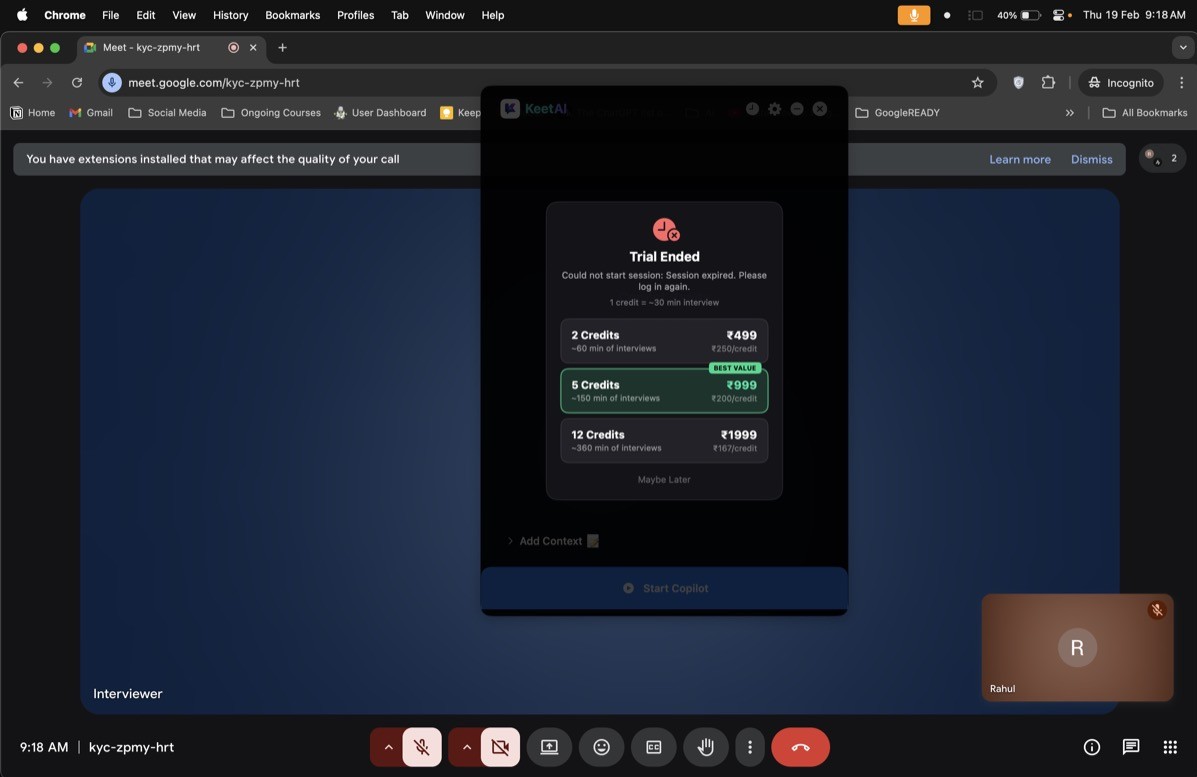
KeetAI running invisibly over Google Meet
Completely invisible to your interviewer — only you can see KeetAI
Works silently alongside

Google Meet
Zoom
Microsoft Teams
Any Video Call
In-Person Rounds

Your interviewer
sees nothing.

KeetAI is a native macOS overlay. It doesn't install a browser extension, doesn't share your screen — it's invisible to all screen sharing and recording tools.

👁️

Invisible to screen sharing

KeetAI is excluded from all screen capture — Zoom, Meet, Teams — your interviewer cannot see the overlay.

🎙️

Captures system audio, not mic

Listens to what your interviewer says through system audio — no separate mic needed, no echo, no feedback.

Answers stream in real-time

AI responses appear word-by-word as you listen, so you can absorb the question and answer simultaneously.

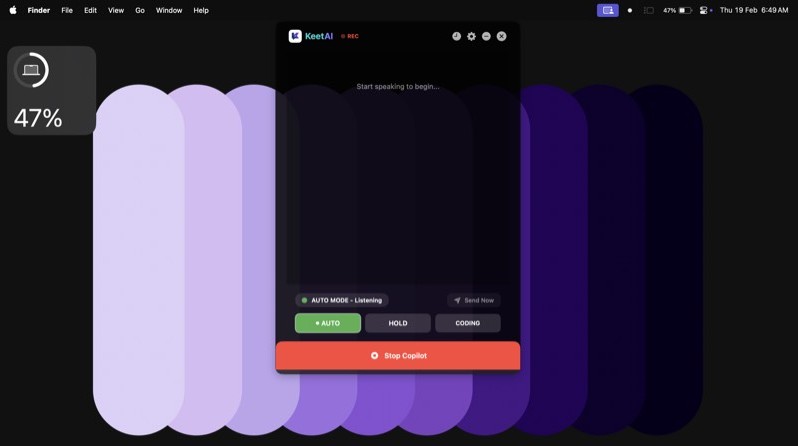
KeetAI listening in AUTO mode

Every interview situation,
covered.

Whether it's a live HR round, a technical discussion, or a coding challenge — there's a mode built exactly for it.

AUTO mode
AUTO MODE

Fully Hands-Free

KeetAI stays always-on, automatically detects interview questions, and sends them to AI without you lifting a finger.

  • Always listening, zero effort
  • Auto question detection
  • Answers stream live
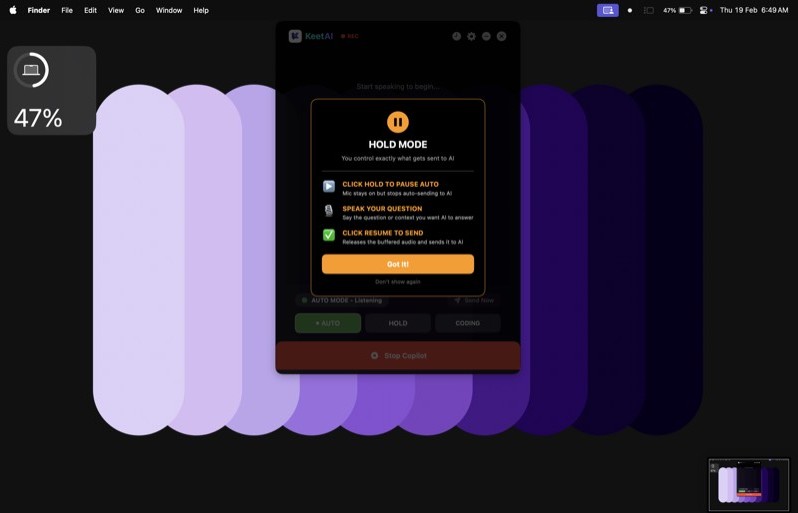
HOLD mode
HOLD MODE

You Control What's Sent

Mic stays on but auto-sending is paused. Click HOLD to buffer your speech, then release when you're ready to get the AI answer.

  • Full control over every query
  • Buffer and review before sending
  • Perfect for complex multi-part questions
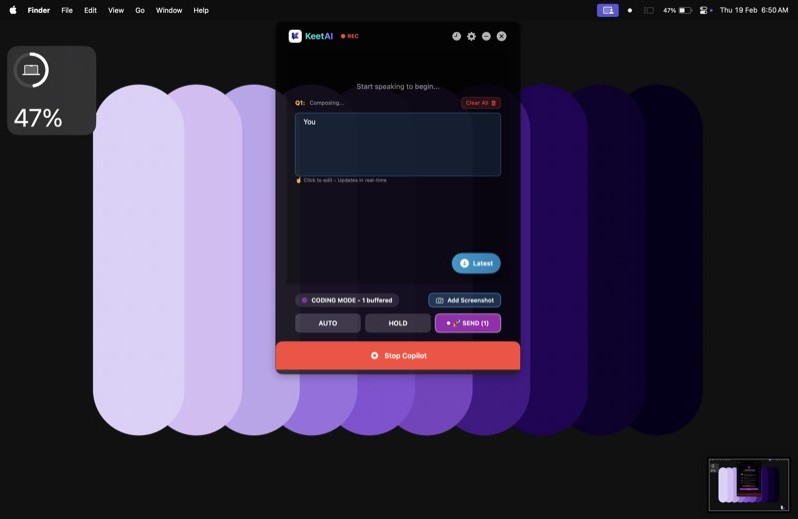
CODING mode
CODING MODE

Solve Any Coding Round

Describe or screenshot a coding question and get a complete solution with explanation. Works for LeetCode, HackerRank, and live coding rounds.

  • Speak or screenshot the problem
  • Full code solution + explanation
  • Copy code instantly

Ready in under 2 minutes

No browser extensions. No configuration. Just download, log in, and start your interview.

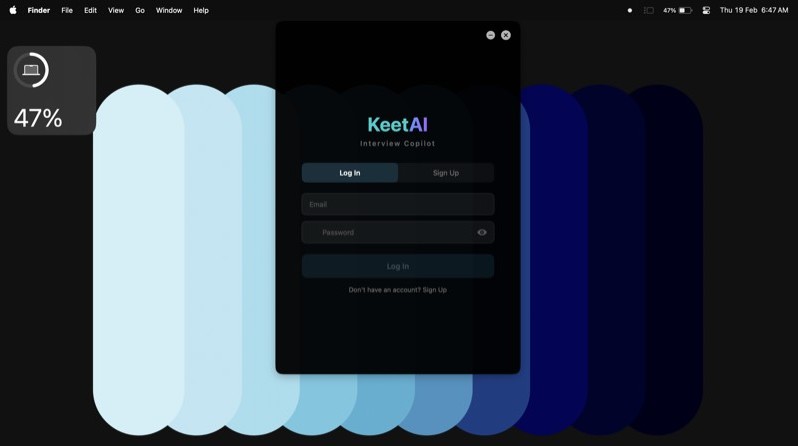
Login screen
1

Download & Sign In

Download KeetAI for macOS. Create an account and get 10 free minutes instantly — no card required.

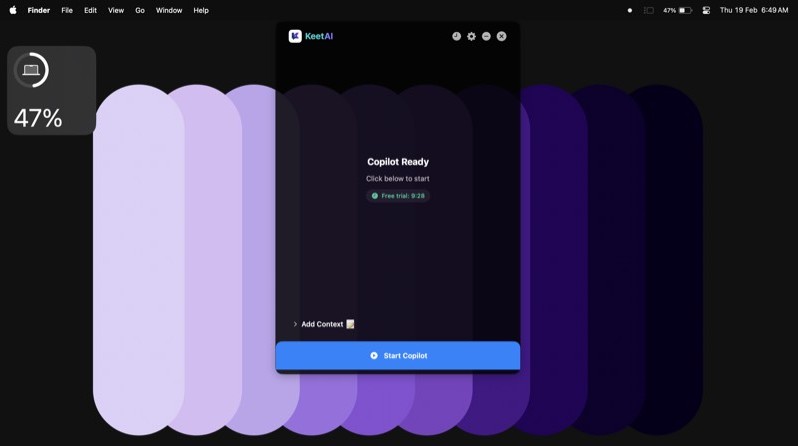
Ready screen
2

Add Context (Optional)

Paste your resume and job description for personalised, relevant answers that sound exactly like you.

Coding mode in action
3

Start Your Interview

Hit "Start Copilot" before your interview begins. KeetAI listens and answers — you speak confidently.

Pay only for what you use

Credits never expire. Start with a free trial, buy more only when you need them.

Starter

~60 min of interviews

499

2 credits · ₹250/credit

  • 2 full interview sessions
  • All 3 modes included
  • Screenshot analysis
  • Credits never expire

Power

~360 min of interviews

1999

12 credits · ₹167/credit

  • 12 full interview sessions
  • All 3 modes included
  • Screenshot analysis
  • Credits never expire

Start with 10 free minutes — no credit card. Payments secured by Razorpay.

Where KeetAI runs

🍎
AVAILABLE NOW

macOS

Native macOS app. Works on macOS 13 Ventura and later. Apple Silicon & Intel supported.

Download for Mac
🪟
COMING SOON

Windows

KeetAI for Windows is in development. Join the waitlist and be the first to know when it launches.

Common questions

No. KeetAI is a native macOS overlay that is excluded from screen capture at the OS level. When you share your screen in Zoom, Meet, or Teams, KeetAI is not visible to the other party. It appears only on your own display.
KeetAI captures system audio — the sound coming through your speakers or headphones — using macOS Screen & System Audio Recording permission. It hears exactly what you hear, so there's no echo or feedback issue.
Yes — CODING MODE is built for exactly this. You can describe the problem verbally or take a screenshot of the coding question (e.g. from a LeetCode-style interface). KeetAI returns a complete solution with explanation and lets you copy just the code instantly.
Your session pauses automatically — KeetAI won't abruptly cut off mid-answer. You'll see a prompt inside the app to purchase more credits. Credits never expire, so you can top up at your own pace.
Audio is processed in real-time via OpenAI Whisper and discarded immediately — we never store your voice recordings. Your resume text is stored locally on your device and only sent to our server during an active session to personalise answers.
Yes, within 24 hours of purchase if you haven't used the credits. Email hello@keetai.app with your purchase details and we'll process a full refund within 3 business days. See our Terms of Service for full policy.

Your next interview.
Your best performance.

Join thousands of candidates landing their dream jobs with KeetAI.

Get KeetAI Free